한국어 · English
Chaekgalpi Tools
Small free programs for people who read. Run them without installing anything, your files are processed only on your PC, and all the code is open.
Books & PDF
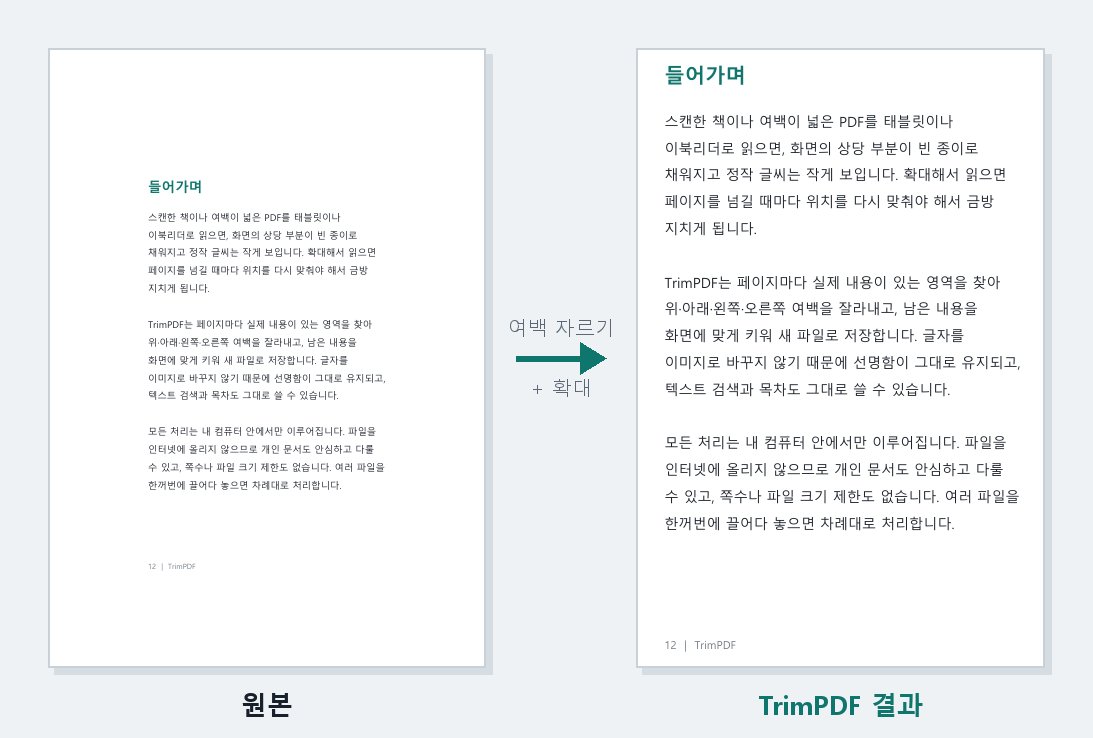
TrimPDF
Windows programTrims the wide margins of a scanned book PDF and enlarges the text so it reads comfortably on a tablet or e-reader.
Source · v1.0.8
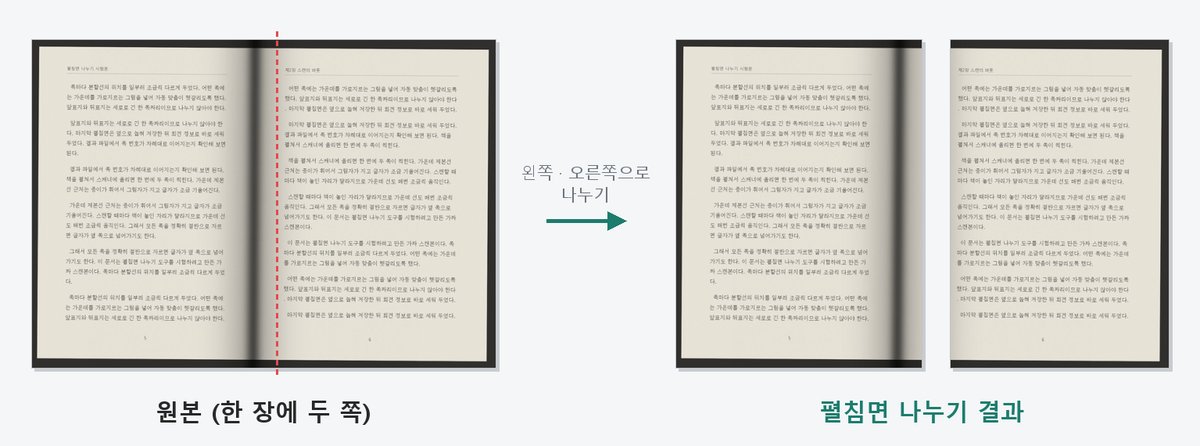
Two-page Split (Windows)
Windows programSplits a PDF scanned two pages per sheet into left and right pages. The downloadable Windows version; a browser version is available if you prefer not to install anything.
Source · v0.1.7
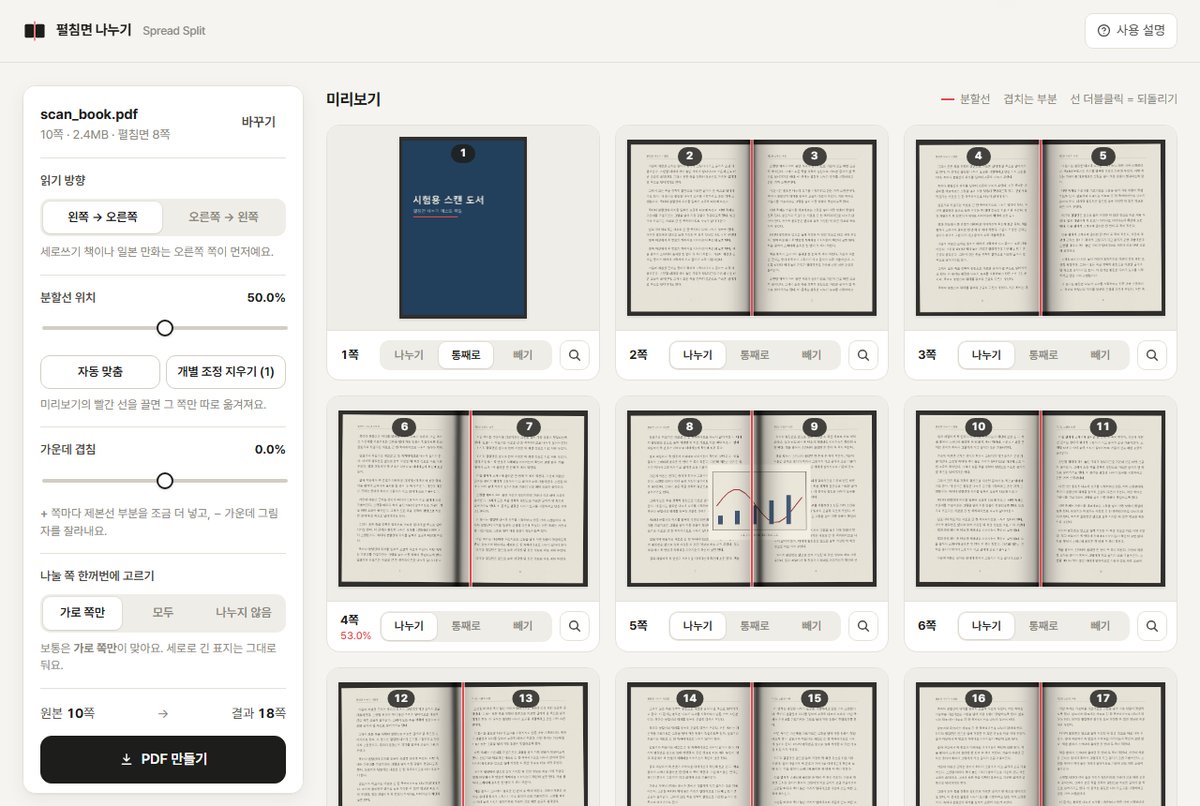
Two-page Split (Browser)
browser toolSplits a two-page scanned PDF into single pages right in the browser, nothing to install. Files are never uploaded to a server. Same features as the Windows version.
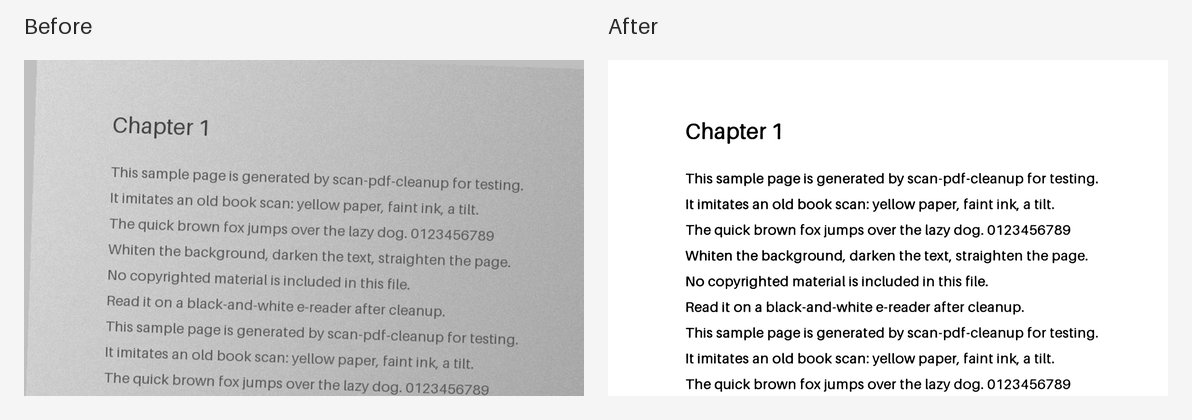
Scan PDF Cleanup
Windows programMakes yellowed, faint scanned books crisp again: whitens the background and darkens the text.
Source · v0.1.5
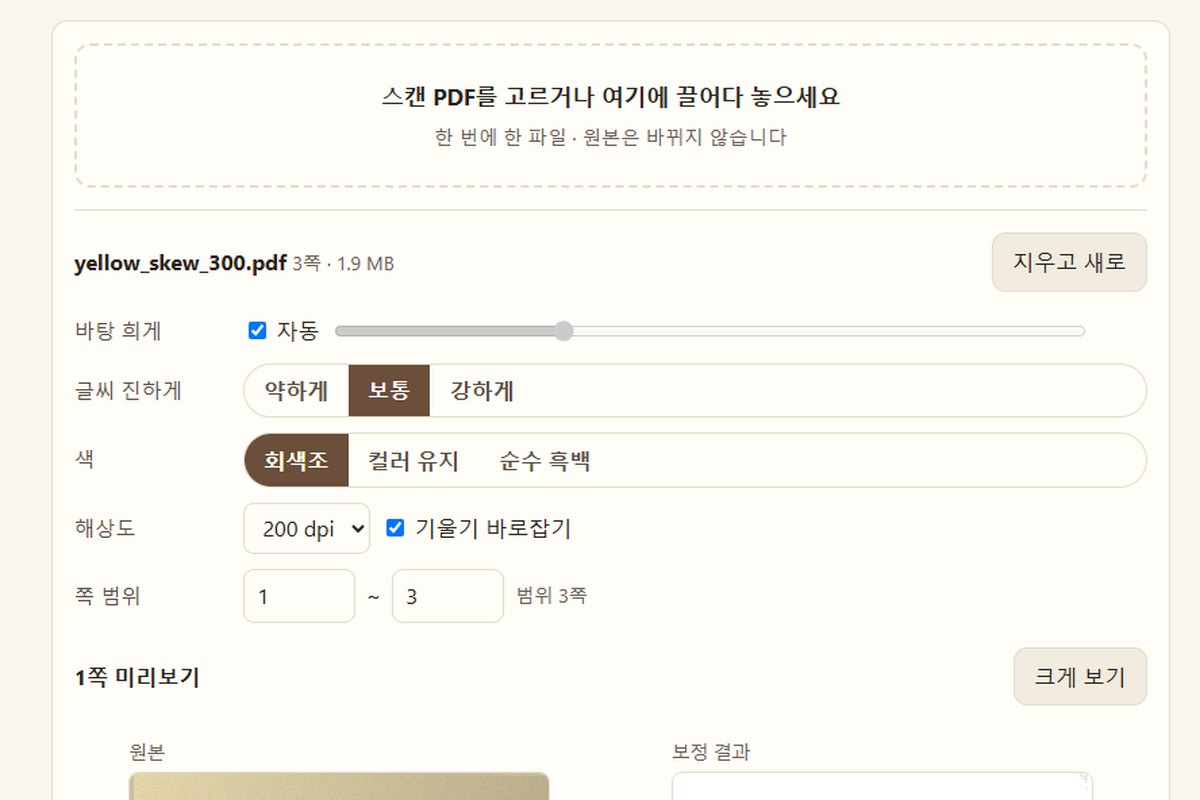
Scan PDF Cleanup (Browser)
browser toolClean up a scanned PDF in your phone or PC browser: whiter pages and darker text, with a before and after preview. The file is never uploaded.
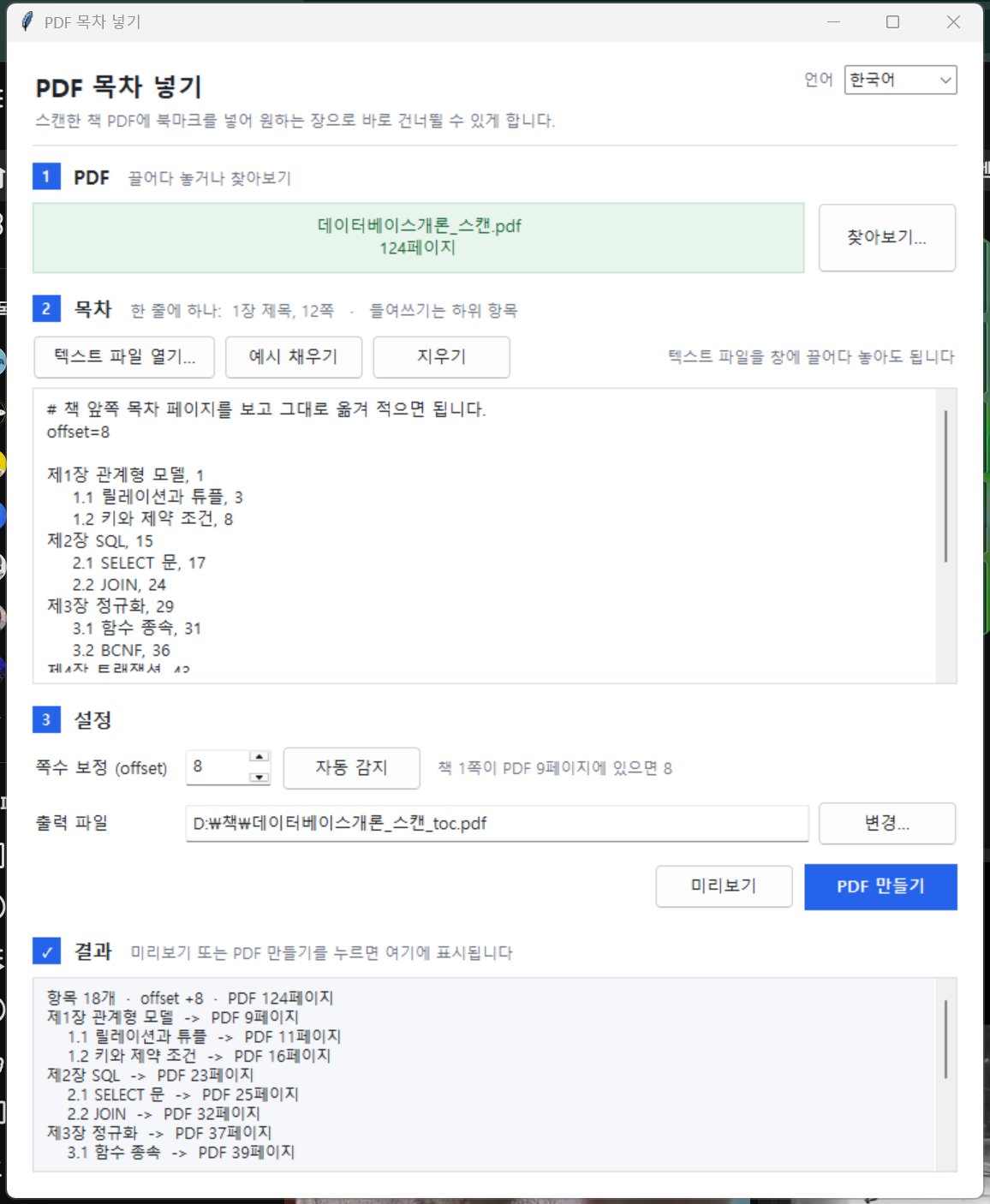
PDF TOC Bookmarks
Windows programAdds bookmarks (an outline) to a scanned book PDF in one go. All you need is a list of "title, page" lines.
Source · v1.1.4
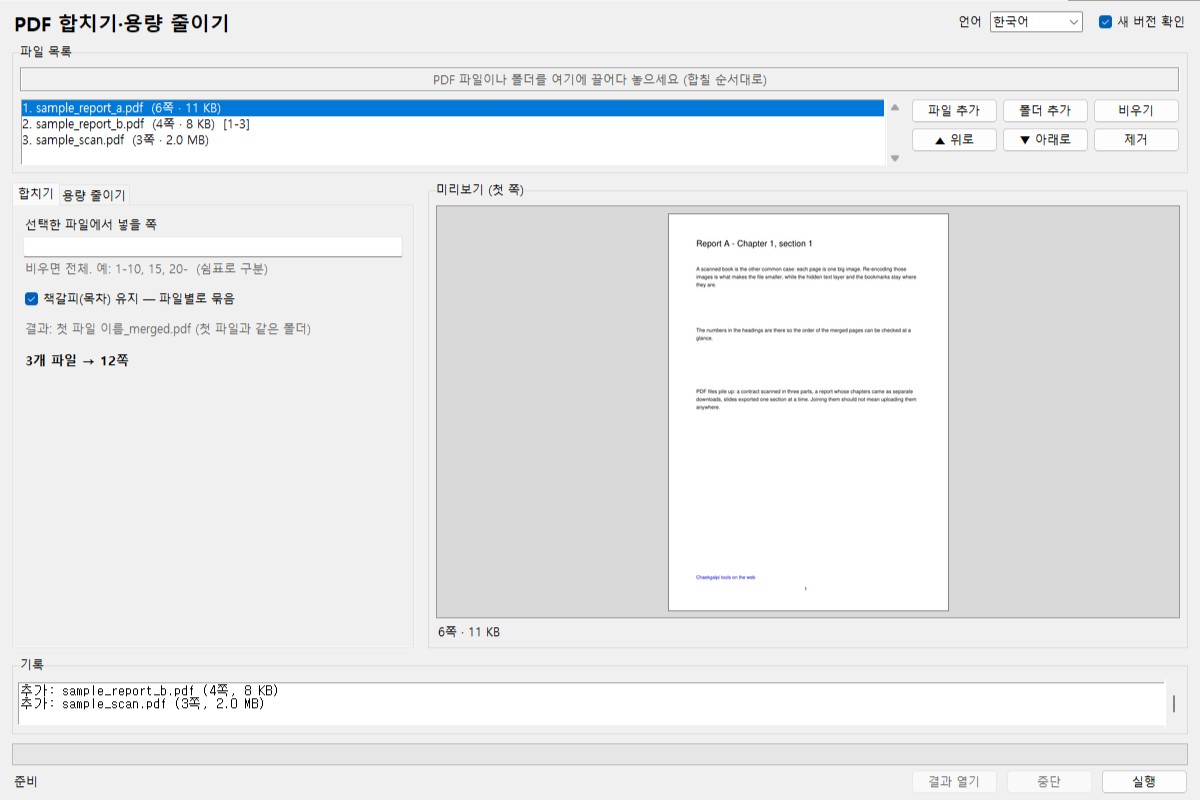
PDF Merge, Split & Compress
Windows programMerge, split and compress PDFs on your own PC - nothing is uploaded. One exe, no install, no page limit, originals untouched.
Source · v0.2.0
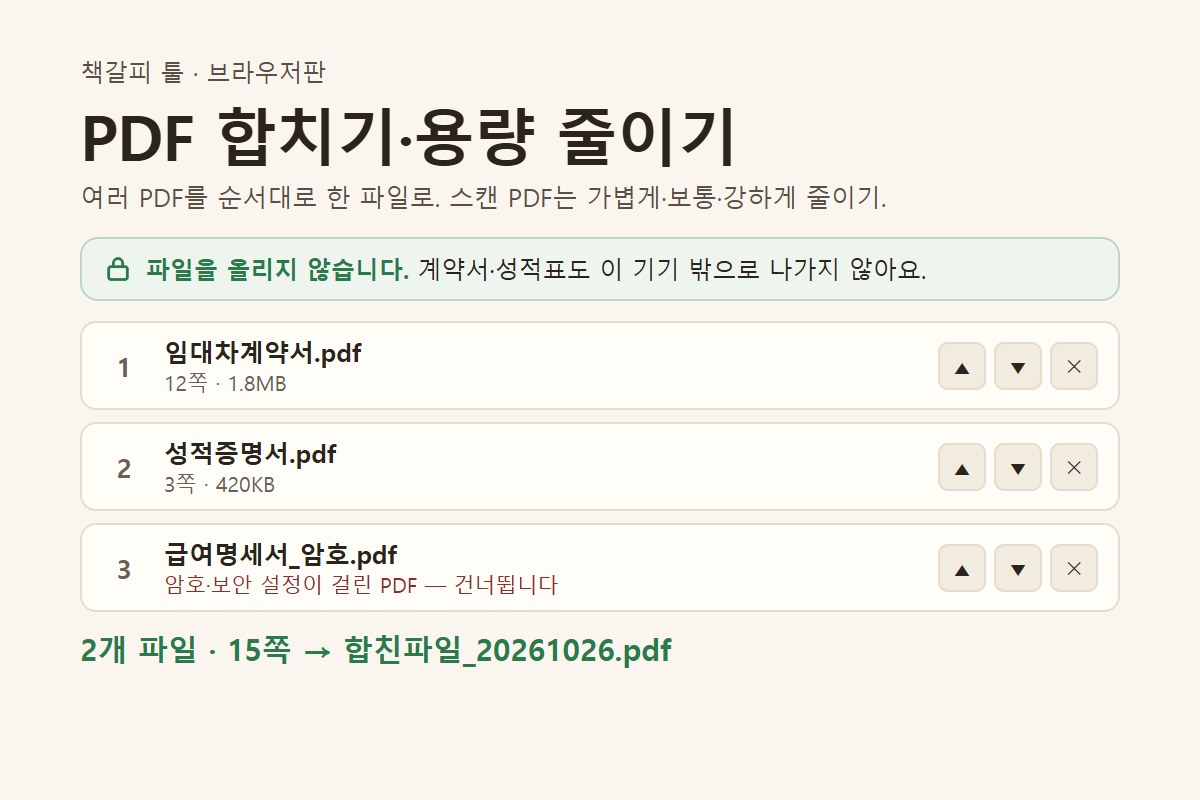
PDF Merge & Compress (Browser)
browser toolMerge PDFs and reduce PDF file size in your phone or PC browser. Files are never uploaded to a server; everything stays on this device, so private papers such as contracts and transcripts are safe.
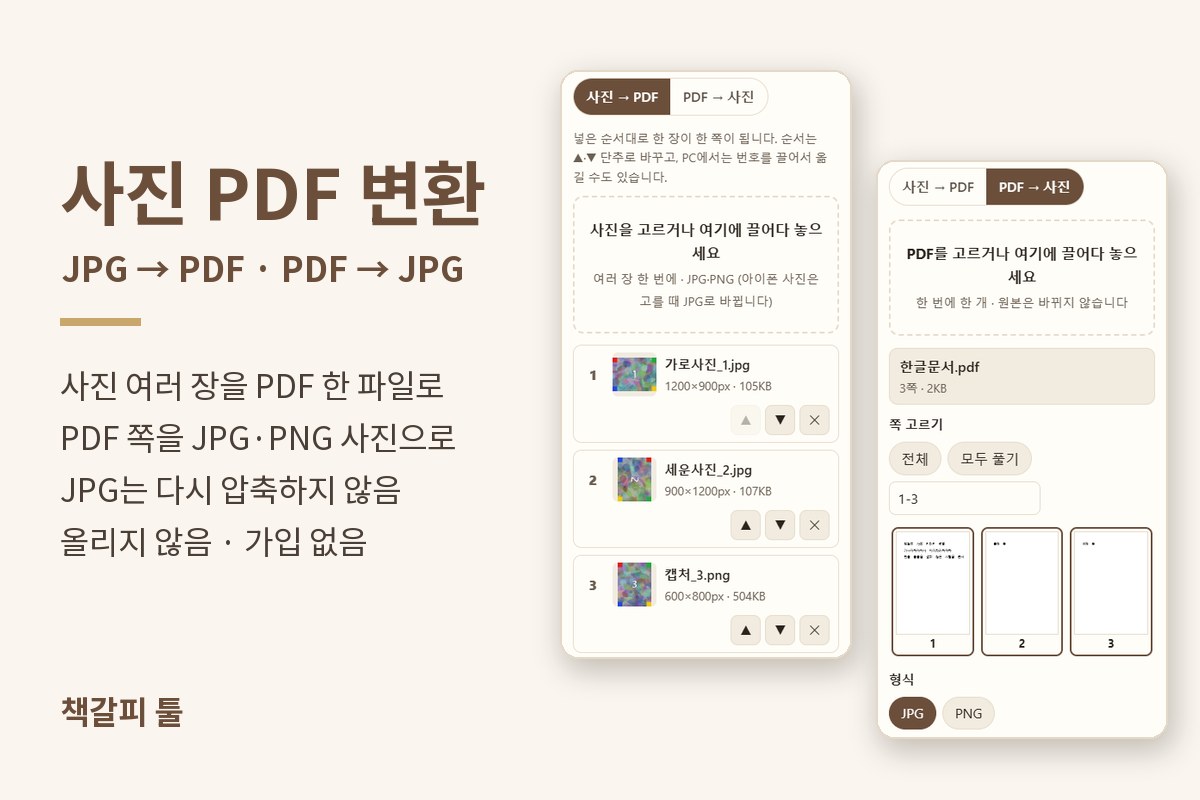
Photo ↔ PDF Converter
browser toolTurn photos into one PDF, or save PDF pages as JPG or PNG images. Everything runs in your browser and nothing is uploaded. Free, no sign-up.
E-books
Arranged in e-book making order — ① manuscript to EPUB → ② make a cover → ③ unlock fonts → ④ check for Upaper (a Korean self-publishing platform). A kit for people who publish their own writing as an e-book.
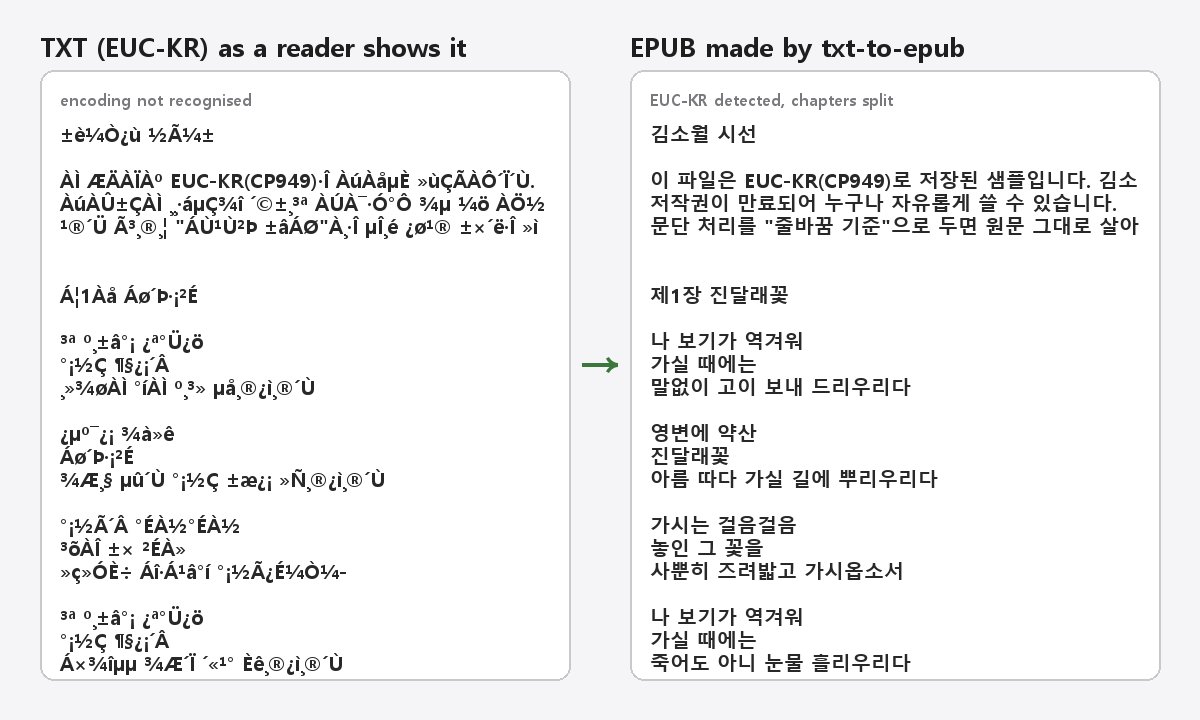
TXT to EPUB
Windows programTurns a plain-text file into an EPUB e-book without garbled characters. Chapter headings are detected and a table of contents is built.
Source · v0.3.0
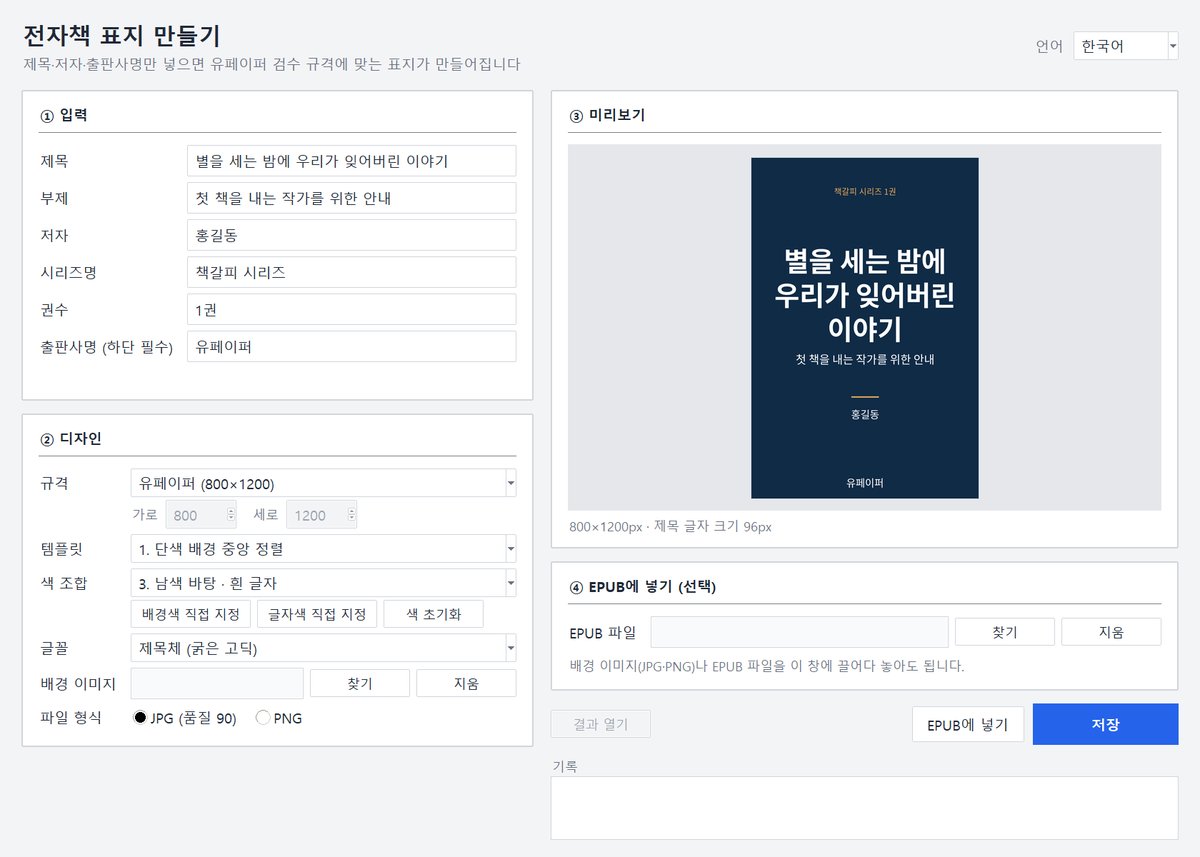
Ebook Cover Maker
Windows programType a title, author and publisher name and get an e-book cover that passes self-publishing platform checks, inserted straight into your EPUB. A compliance tool, not a design tool.
Source · v0.1.4
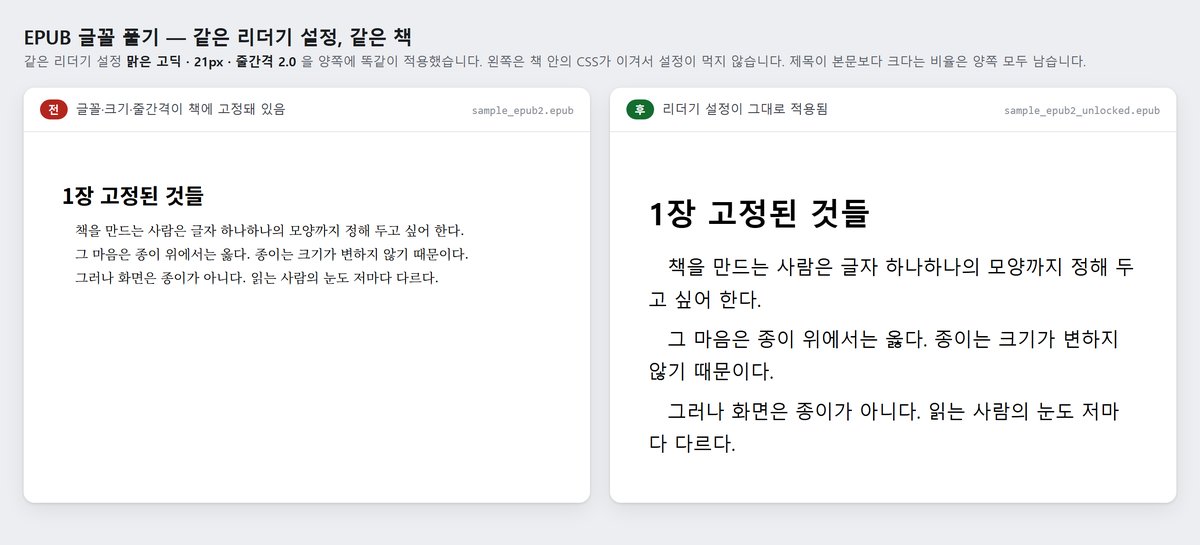
EPUB Font Unlock
Windows programRemoves the hard-coded fonts from an EPUB whose typeface will not change on your e-reader, so you can read it in the font you choose. It does not handle DRM-protected books.
Source · v0.1.5
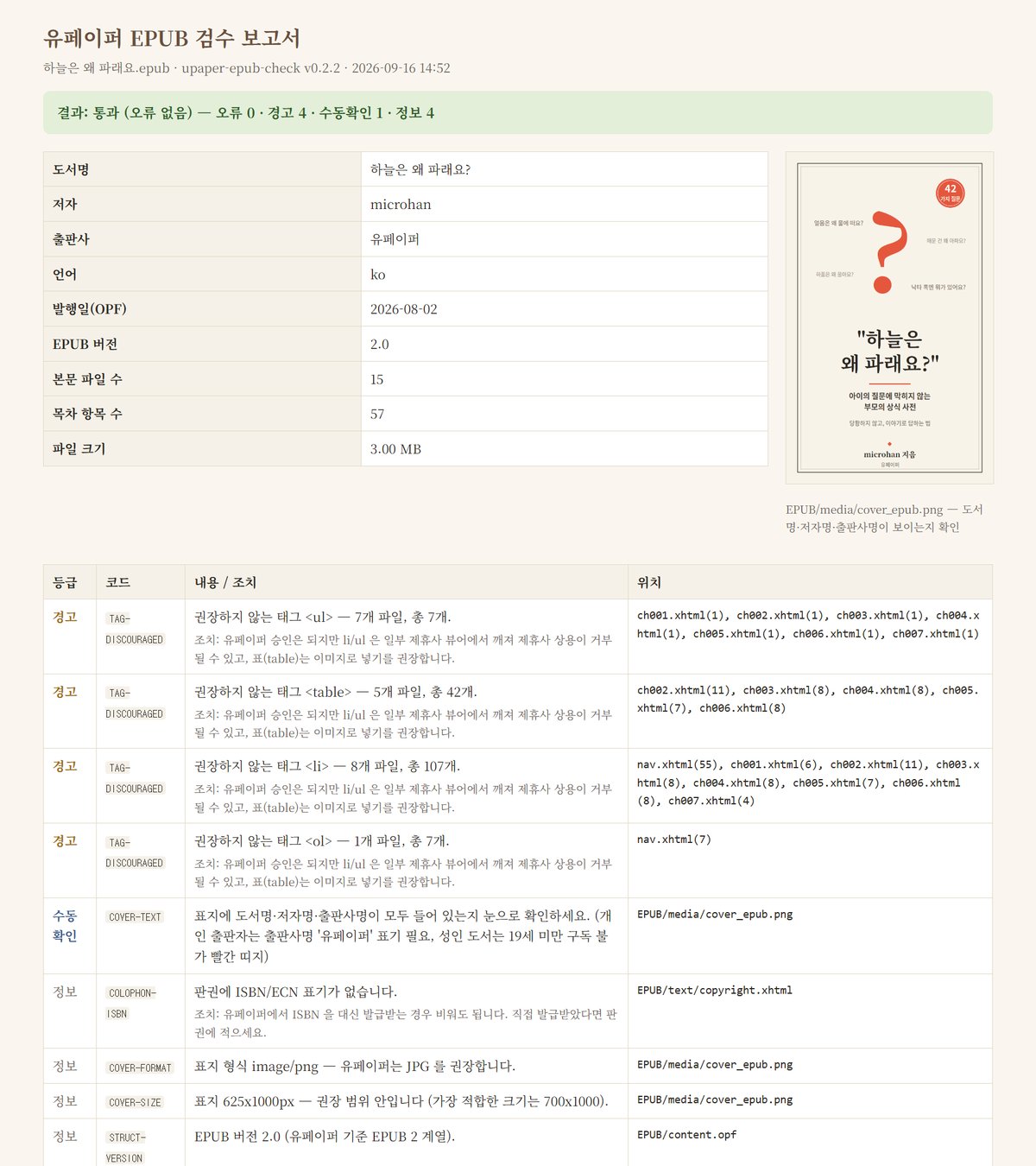
Upaper EPUB Checker
Windows programChecks an EPUB before you submit it to Upaper, a Korean self-publishing platform. Catches rejection causes in advance: cover, copyright page, table of contents, forbidden tags.
Source · v0.2.9
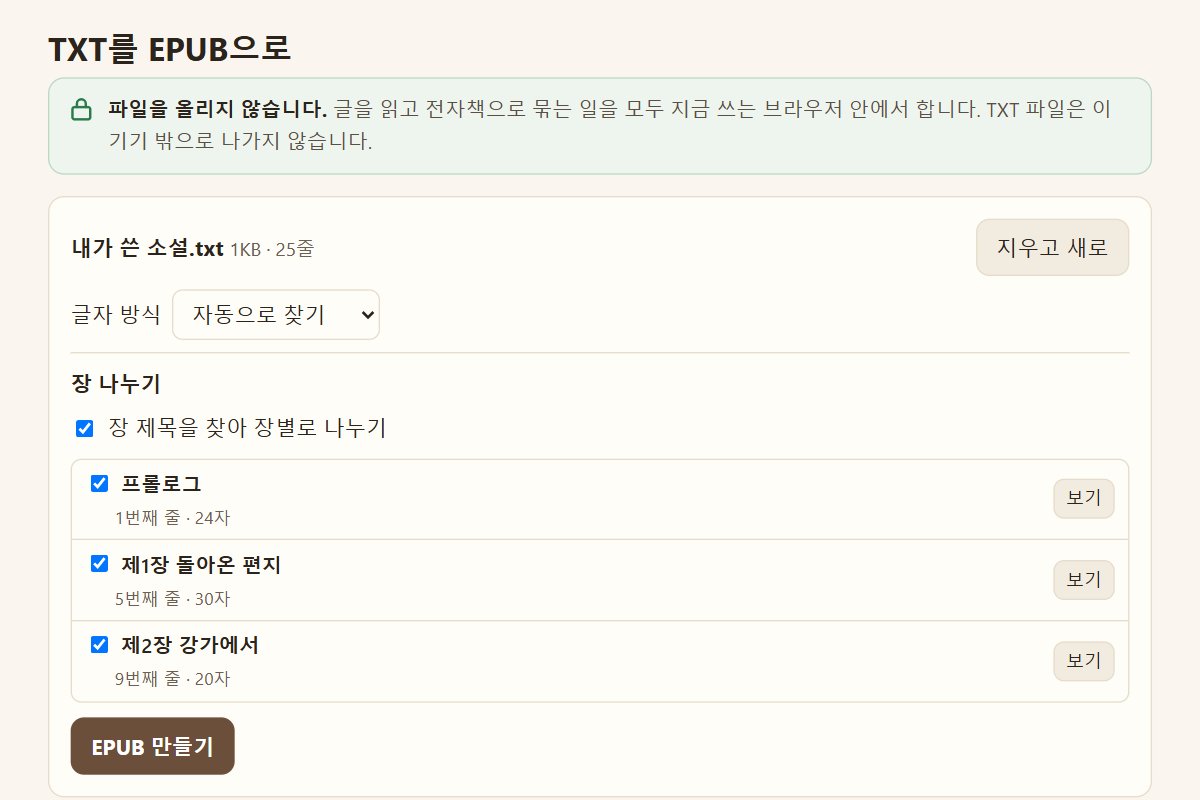
TXT to EPUB (Browser)
browser toolConvert a TXT file to EPUB in your phone or PC browser. The encoding is detected so text does not garble, chapter headings become a table of contents, and the file is never uploaded.
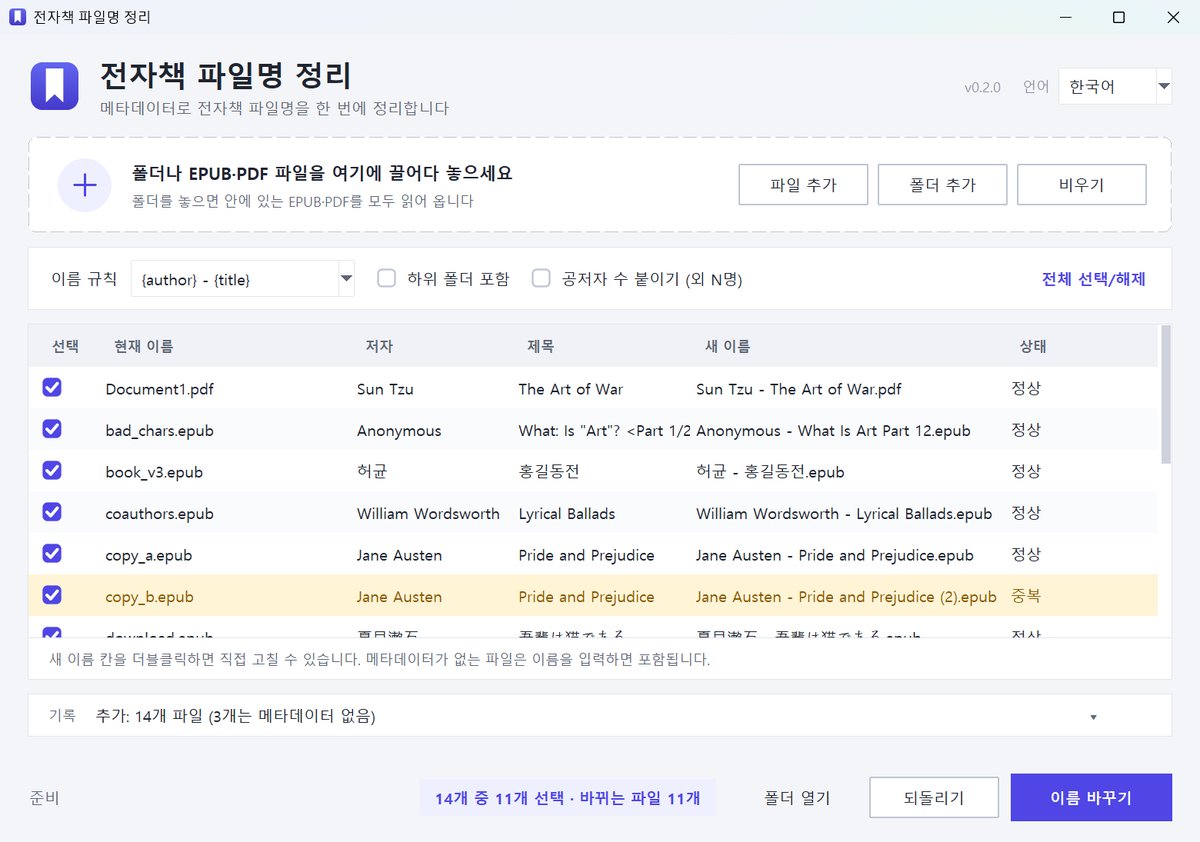
Ebook Renamer
Windows programReads the title and author inside the EPUB and PDF files in a folder and renames them all to "Author - Title" in one go. Check the preview first; undo stays available afterwards.
Source · v0.2.5
Music
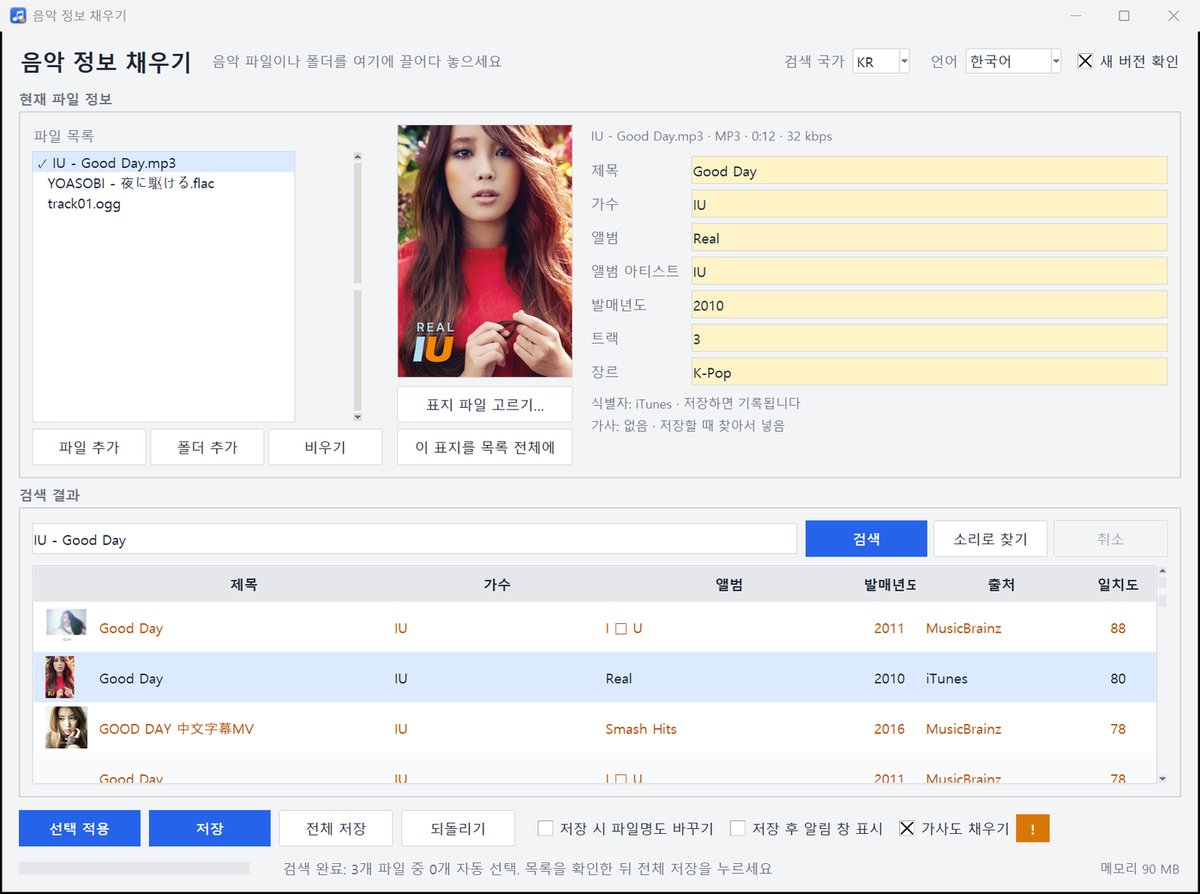
Music Tag Filler
Windows programFills in the title, artist, album and cover-art tags of your music files automatically. Identifies tracks by audio fingerprint and, if you want, adds lyrics too.
Source · v0.2.11
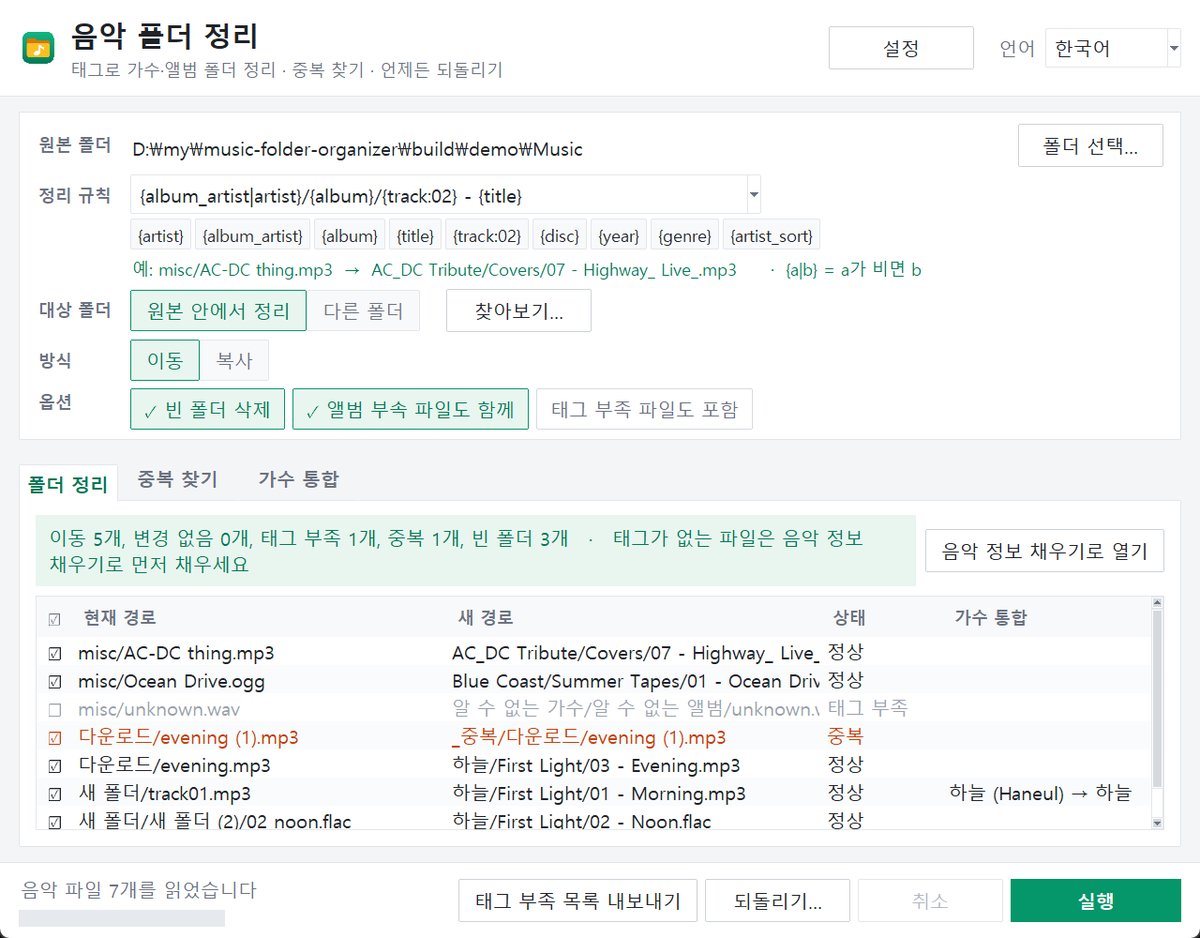
Music Folder Organizer
Windows programSorts scattered music files into artist and album folders and finds duplicate tracks. Works without an internet connection (except the update check, which can be turned off).
Source · v0.6.1
Photos
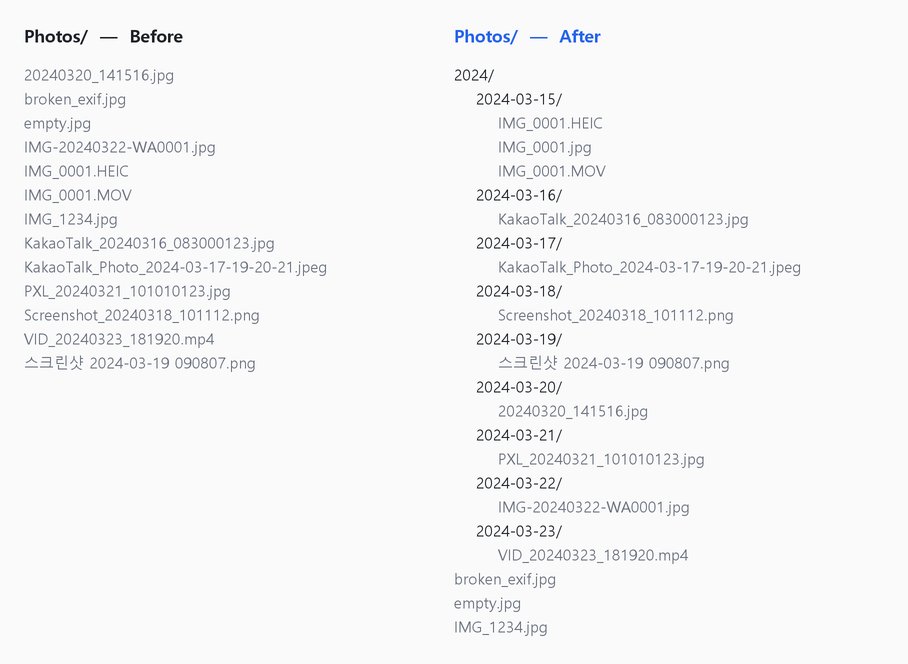
Photo Organizer
Windows programSorts phone, camera and messenger photos into folders by the date they were taken, converts HEIC to JPG and filters out duplicates. Works offline (except the update check, which can be turned off) and has undo.
Source · v0.1.6
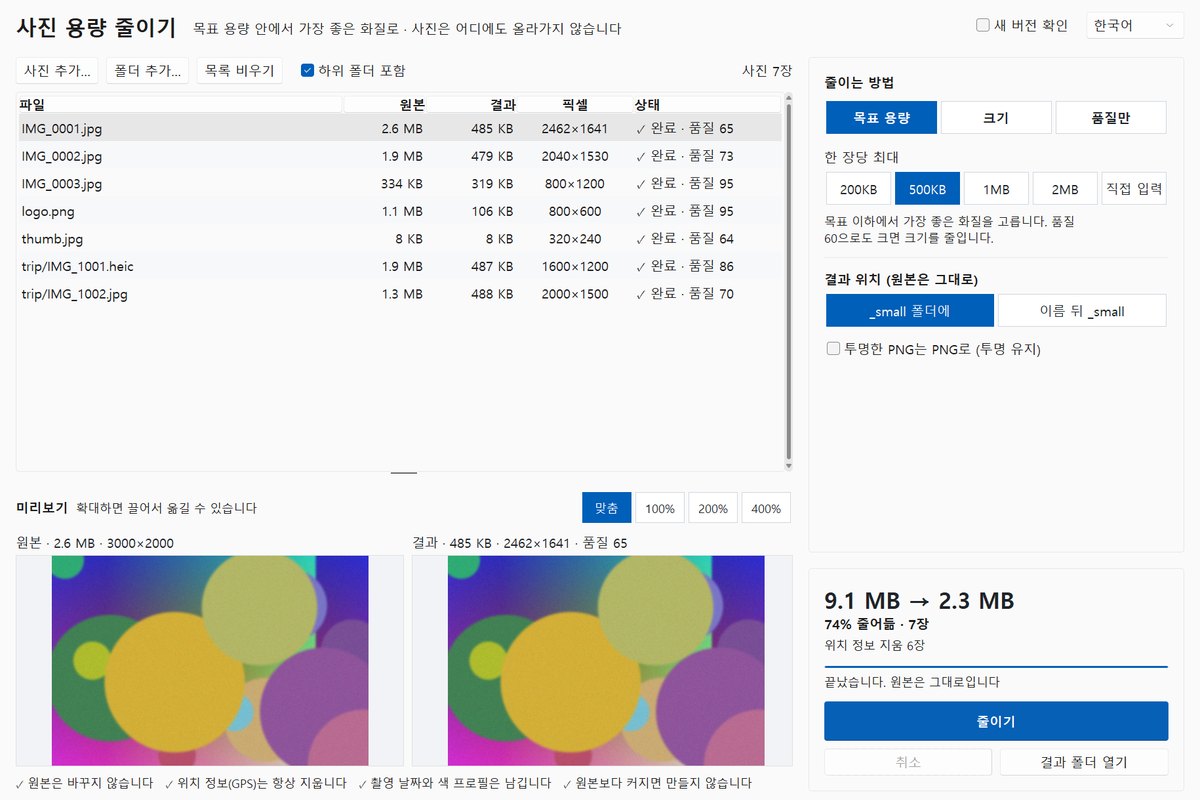
Photo Resize
Windows programReduce photo file size on your own PC. Pick a target such as 500KB or 1MB and every photo in a folder is saved at the best quality that fits. Originals stay untouched and location data is removed.
Source · v0.1.3
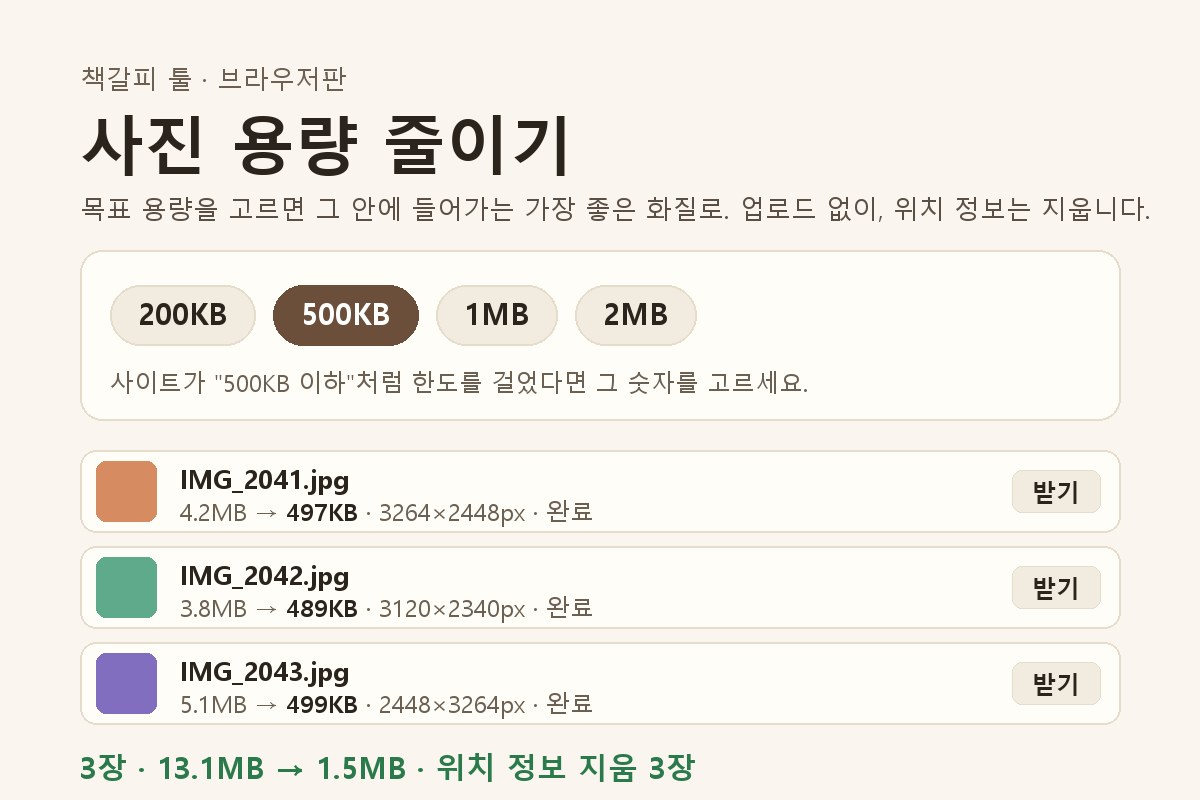
Photo Size Reducer (Browser)
browser toolReduce photo file size in your phone or PC browser. Pick 200KB, 500KB or 1MB and each photo is saved at the best quality that fits. Nothing is uploaded and location data is removed.
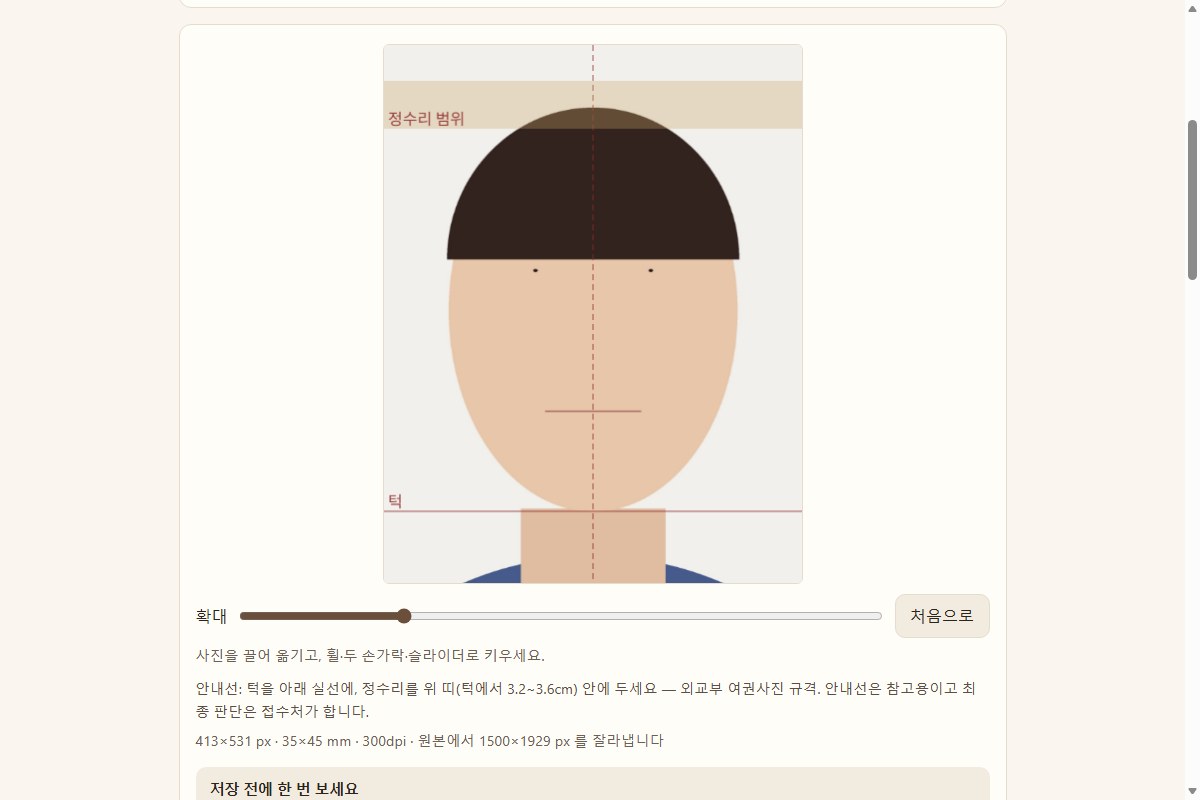
ID & Passport Photo Cropper
browser toolCrop a photo to passport size (35×45 mm, 413×531 px), resume size (30×40 mm) or US visa size (2×2 in) and tile copies on a 4×6 in print sheet. Free, in your phone or PC browser; photos are never uploaded.
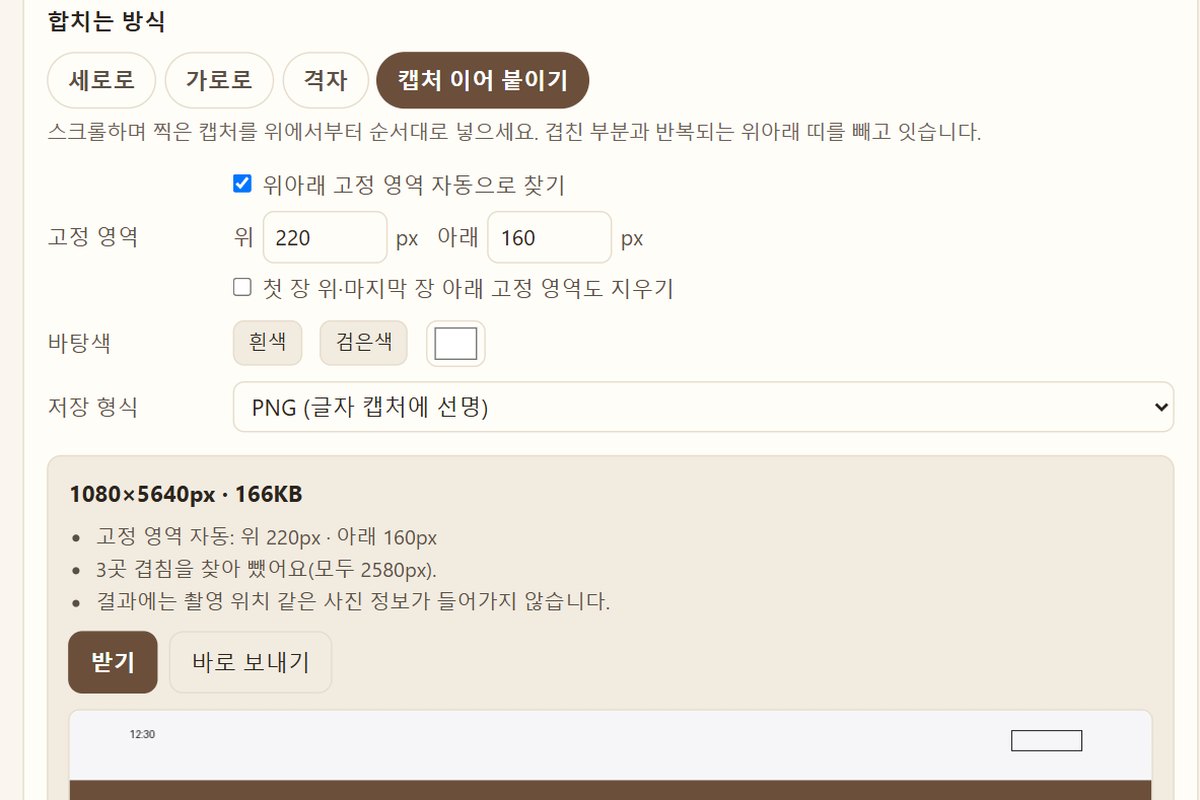
Photo Merge
browser toolCombine photos into one image in your phone or PC browser: stacked, side by side or in a grid. Scrolling screenshots are joined with the overlap shown once. Nothing is uploaded.
Writing
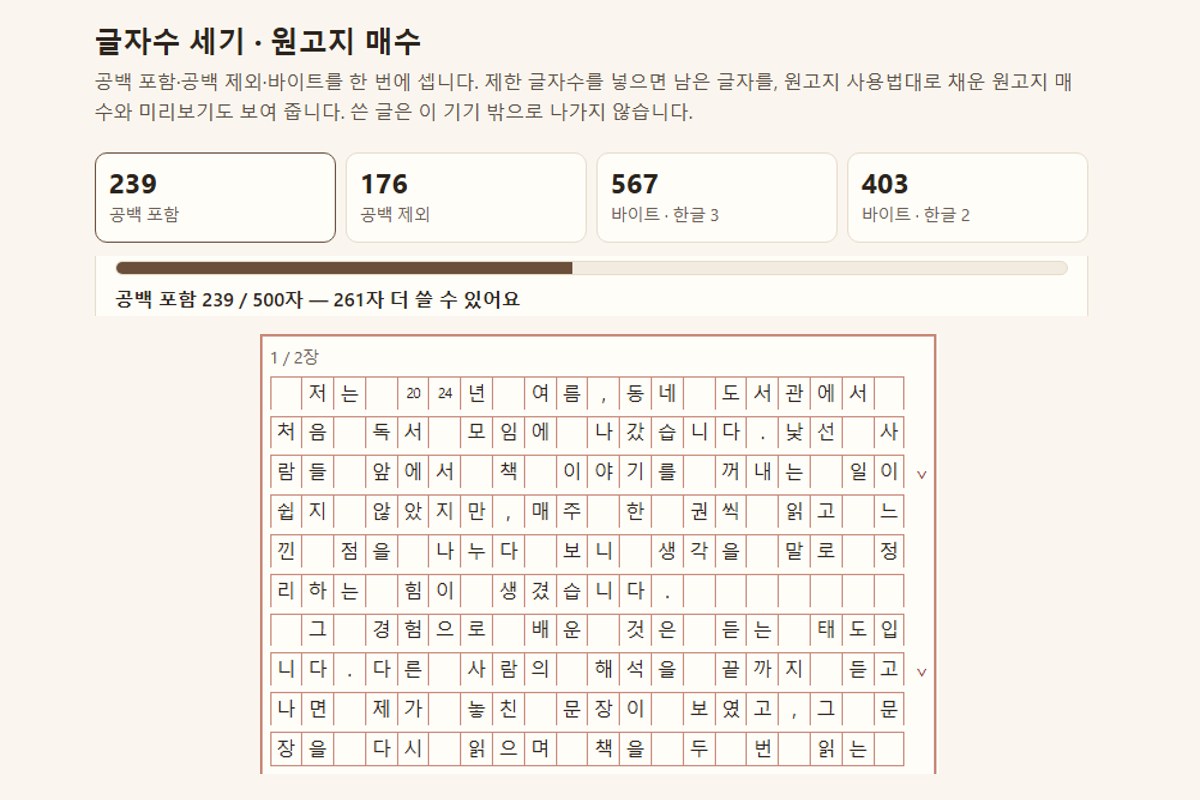
Character Counter & Manuscript Pages
browser toolCount characters with and without spaces and in bytes (Korean as 2 or 3 bytes), track a length limit, and see how many Korean manuscript-paper sheets your text fills. Your text never leaves the browser.