한국어 · English
Chaekgalpi Tools › Books & PDF
PDF Merge & Compress
Merge and compress PDFs on your own PC - nothing is uploaded. One exe, no install, no page limit, originals untouched.
Windows program · AGPL-3.0 · v0.1.0 · Updated 2026-10-15
For Windows. The file is unsigned, so if "Windows protected your PC" appears the first time, choose "More info → Run anyway".
Chaekgalpi Tools are made by the person who runs Chaekgalpi Library, a Korean-language web service for keeping a reading log. About Chaekgalpi Library (Korean) →
How to use
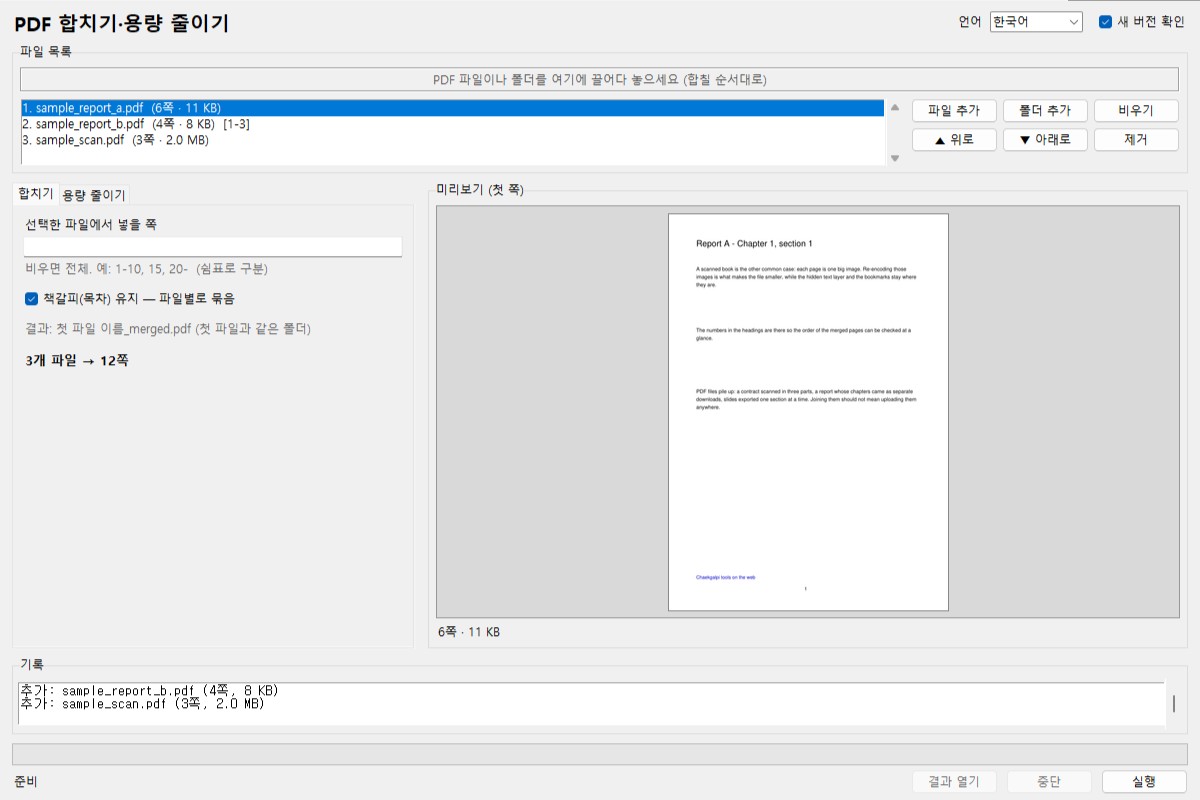
- Download pdf-merge-split.exe and run it (no install).
- Merge: drop several PDFs onto the window and arrange them with Up / Down. Each file can get a page range (e.g. 1-10, 15); bookmarks are kept under an entry named after the file. The result is
firstfile_merged.pdf. - Compress: on the Compress tab pick a quality (normal / small / minimum) and a resolution (300 / 200 / 150 dpi); an estimated size is shown before you run. The result is
filename_small.pdf. If it would not be smaller than the original, nothing is written and you are told.
Features
- Files never leave your PC. It works offline; only the update check sends the tool name and version, and it can be turned off.
- Compressing re-encodes images only - the text layer (search), bookmarks, links and page sizes stay. A 300 dpi scan typically drops to a third or a half at normal / 200 dpi and to about a fifth at minimum / 150 dpi.
- Links, annotations and form fields survive merging. No page limit.
- Command line too (
--merge/--shrink). Interface in Korean, English, Chinese and Japanese.
What it does not do
- Splitting (page ranges, every N pages, by bookmark) is planned for v0.2.
- Password-protected PDFs are skipped with a message; passwords are not removed.
- It does not edit text, rotate pages or trim margins (margins: TrimPDF).
Frequently asked questions
Does it upload my files?
No. Merging and compressing happen entirely on your PC and work offline. The only exception is the update check, which sends just the tool name and version and can be turned off.
Does compressing lose the text, bookmarks or links?
No. Only the images are re-encoded; the text layer (search), bookmarks, links and page sizes stay as they are. Text-only PDFs barely shrink.
How much smaller does it get?
A 300 dpi scan typically drops to a third or a half at "normal, 200 dpi" and to about a fifth at "minimum, 150 dpi". An estimate is shown before you run; if the result would not be smaller, nothing is written and you are told.
What about the order and the bookmarks when merging?
Arrange the files in the list and give each one a page range (e.g. 1-10, 15). The bookmarks of every file are kept under an entry named after that file.
Password-protected PDFs?
They are skipped with a message; passwords are not removed.
Can it split a PDF?
Splitting (page ranges, every N pages, by bookmark) is planned for v0.2. Splitting a two-page scan into left and right pages is a separate tool, Scan PDF Split.
Since v0.1.0, the program sends only its name and version to the Chaekgalpi server when it starts, to check whether a newer version exists. No file is sent, it asks once a day, and you can turn it off in the settings.
Other tools in this group
- TrimPDF — Trims the wide margins of a scanned book PDF and enlarges the text so it reads comfortably on a tablet or e-reader.
- Two-page Split (Windows) — Splits a PDF scanned two pages per sheet into left and right pages. The downloadable Windows version; a browser version is available if you prefer not to install anything.
- Two-page Split (Browser) — Splits a two-page scanned PDF into single pages right in the browser, nothing to install. Files are never uploaded to a server. Same features as the Windows version.