한국어 · English
Chaekgalpi Tools › E-books
Upaper EPUB Checker
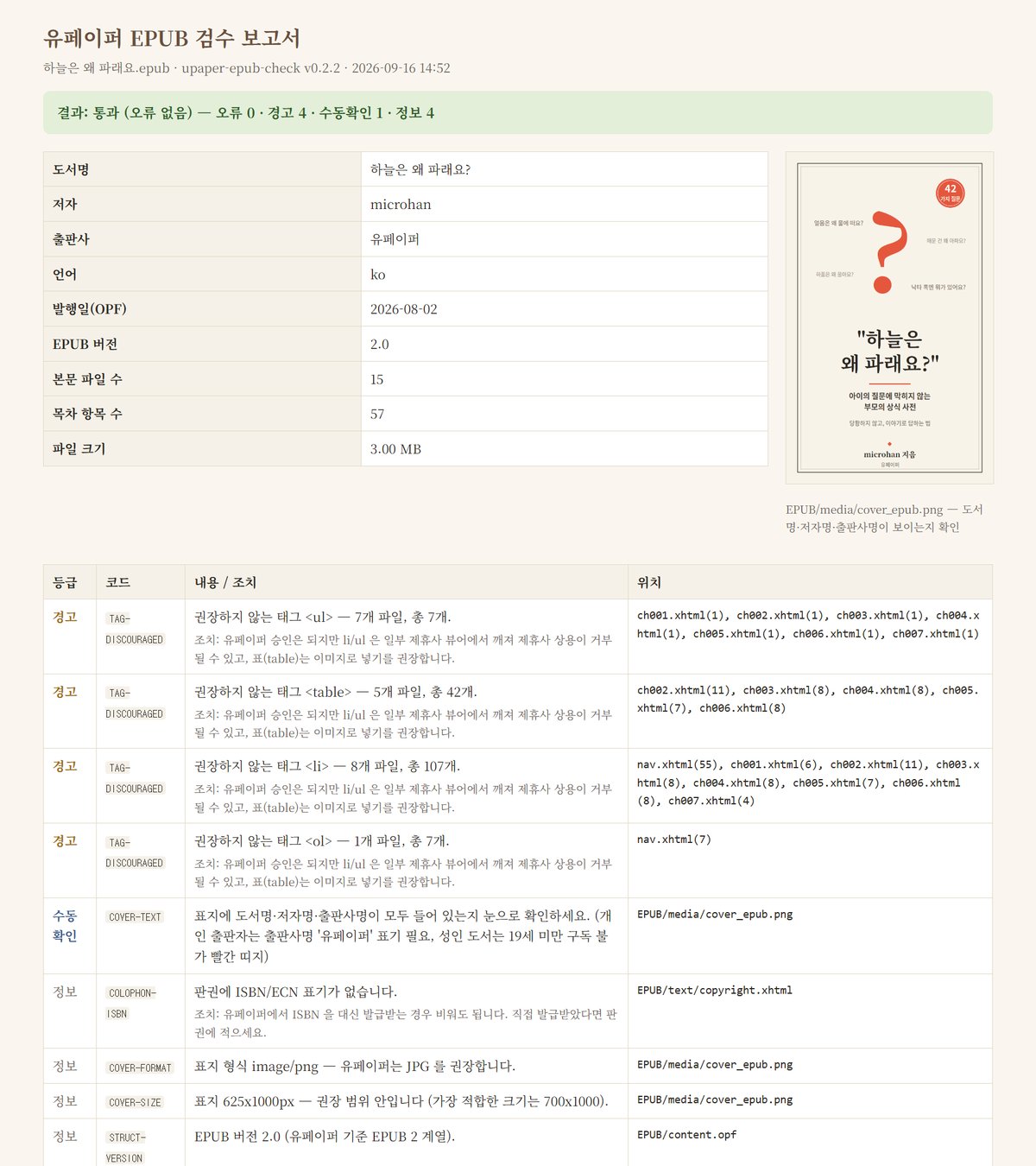
Checks an EPUB before you submit it to Upaper, a Korean self-publishing platform. Catches rejection causes in advance: cover, copyright page, table of contents, forbidden tags.
Windows program · MIT · v0.2.9 · Updated 2026-11-16
For Windows. The file is unsigned, so if "Windows protected your PC" appears the first time, choose "More info → Run anyway".
Chaekgalpi Tools are made by the person who runs Chaekgalpi Library, a Korean-language web service for keeping a reading log. About Chaekgalpi Library (Korean) →
How to use
- Download the zip, unpack it and run upaper-epub-check.exe (no Python needed).
- Drop an EPUB file and the results open as an HTML report.
- Fix every "Error" (a possible rejection cause); "Warnings" are recommended specifications.
What it checks
- EPUB 2 version and toc.ncx; the cover (first page, duplicates, size, RGB); the publisher name.
- The five items on the copyright page (title, author, publisher, publication date, price) and the ISBN check digit.
- Table-of-contents limits and broken links, forbidden tags (script, iframe and so on), hard-coded black text colour (a night-mode problem).
- Broken image and font references, metadata (dc:title and the rest).
Mainly for people publishing on Upaper, but most of the checks apply to any EPUB 2 submission.
Frequently asked questions
Will Upaper reject my ebook if the text color is set to black?
On Upaper (upaper.net), a Korean self-publishing platform, a text color set to #000000 or black causes trouble in night mode and is a reason for rejection, so the checker flags it as an Error. A font size fixed in pt or px gets a Warning, and em or % units are recommended.
Can I upload an EPUB 3 file to Upaper?
When the EPUB's package version is not in the 2.0 line, the checker reports an Error, which can be a reason for rejection, and it also checks that a toc.ncx file exists. svg, math and HTML5 structural tags are not supported in EPUB 2, so they get a Warning.
What must the copyright page of an Upaper ebook include?
It needs five items: book title, author name, publisher name, publication date and price, and placing the page at the end of the book is recommended. If an ISBN is given, its check digit is verified. The publisher must read 유페이퍼 (Upaper) in both the OPF dc:publisher and the copyright page; if you registered your own publisher name, check with the --publisher option.
Are there limits on file size and the table of contents for an Upaper EPUB?
The checker checks that the whole EPUB is 30 MB or less and each html file 300 KB or less. For the table of contents it checks for 100 html files or fewer and no more than three levels, along with empty entry names, links with no target and empty html files. The limits follow Upaper's review criteria document (2015-01-12) and can be changed by copying default_rules.json, editing it and passing it with --rules.
Since v0.2.6, the program sends only its name and version to the Chaekgalpi server when it starts, to check whether a newer version exists. No file is sent, it asks once a day, and you can turn it off in the settings.
Send feedback
Tell us what doesn't work, what's awkward, or what you wish it did. No sign-in needed. Every message is read, in English or Korean.
We don't keep anything that identifies the sender (IP, sign-in) · Privacy policy (Korean)
Other tools in this group
- TXT to EPUB — Turns a plain-text file into an EPUB e-book without garbled characters. Chapter headings are detected and a table of contents is built.
- Ebook Cover Maker — Type a title, author and publisher name and get an e-book cover that passes self-publishing platform checks, inserted straight into your EPUB. A compliance tool, not a design tool.
- EPUB Font Unlock — Removes the hard-coded fonts from an EPUB whose typeface will not change on your e-reader, so you can read it in the font you choose. It does not handle DRM-protected books.