한국어 · English
Chaekgalpi Tools › Photos
Photo Size Reducer (Browser)
Reduce photo file size in your phone or PC browser. Pick 200KB, 500KB or 1MB and each photo is saved at the best quality that fits. Nothing is uploaded and location data is removed.
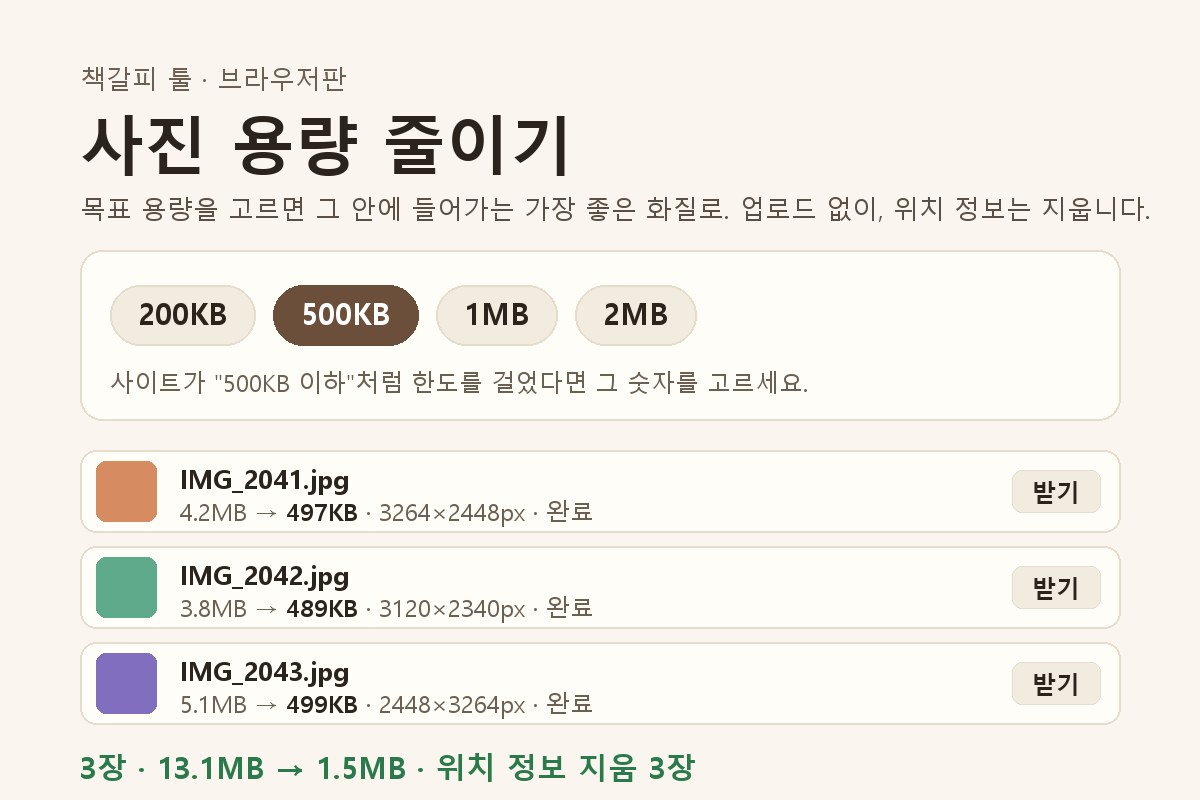
browser tool · Updated 2026-10-16
Chaekgalpi Tools are made by the person who runs Chaekgalpi Library, a Korean-language web service for keeping a reading log. About Chaekgalpi Library (Korean) →
How to use
- Press "Open in browser". Works in Chrome, Safari, Samsung Internet and Whale on phones and PCs.
- Choose a target size (200KB, 500KB, 1MB, 2MB or custom) or dimensions (long side 2560, 1920, 1280 or 800px).
- Pick or drop photos. Many are processed at once; save them one by one or with Download all, or on a phone hand them straight to another app with Send now.
Features
- The highest quality that stays under the target is chosen. Quality is lowered first (down to 60); if that is not enough, the photo is made smaller.
- Photos are processed inside the browser and never uploaded.
- Results are freshly saved JPGs, so all photo metadata including GPS location is removed. Originals are not changed.
- On a phone, "Add to Home screen" keeps it like an app that opens even offline.
Good to know
- iPhones convert HEIC photos to JPG when you pick them. If a PC browser cannot open HEIC, convert to JPG first.
- Transparent PNGs become JPGs on a white background.
- Up to 50 photos at a time.
Frequently asked questions
Are my photos uploaded?
No. Everything happens inside the browser you are using and photos are never sent anywhere. After the first visit it works offline as well.
How do I meet an "under 500KB" upload limit?
Choose 500KB under Target size and add your photos. Each one is saved at the best quality that stays under 500KB. For other limits, type the number in KB in the Custom box.
Is location data removed?
Yes. Results are freshly saved JPGs, so all metadata including GPS location is removed. The summary tells you how many originals had location data; the originals themselves are not changed.
Can I use it like an app on my phone?
Yes. Open the page and choose "Add to Home screen" in the browser menu. An icon appears and the tool opens straight away next time. Use Send now to pass results to a messenger or mail app.
Other tools in this group
- Photo Organizer — Sorts phone, camera and messenger photos into folders by the date they were taken, converts HEIC to JPG and filters out duplicates. Works offline (except the update check, which can be turned off) and has undo.